


Estimate Invoice Maker By Moon
4.3131.00 Reviews
App Specs
- Version
- 8.16.2
- Updated On
- License
- Free
- Downloads
- 100,000+
- Developer
- Moon Technolabs Pvt. Ltd.
- Categories
- Business
- Platform
- Android
Screenshots
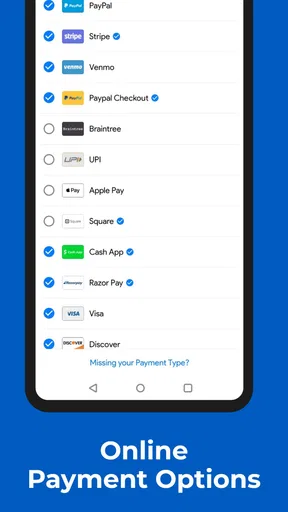
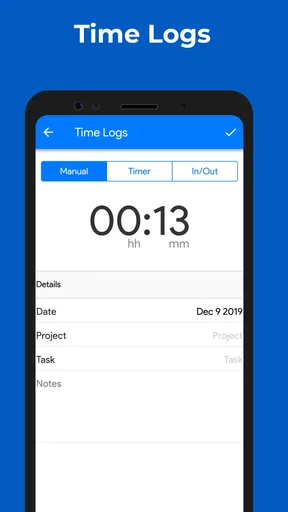
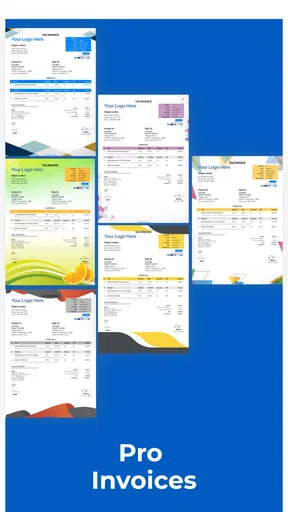
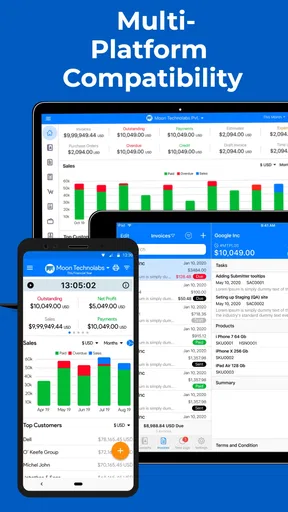
 Analysis by AppCompare
When I need to prepare a quick bill without opening a full accounting system, I want the process to feel closer to writing a clear message than setting up a finance department. That is the main appeal of Estimate Invoice Maker By Moon: it focuses on turning an estimate or invoice into something I can prepare from a phone, with less ceremony than traditional business software. I reviewed it as a practical business app for freelancers, independent workers, and small teams that need a straightforward way to document charges.
The app is free to install and is suitable for everyone from an age-rating perspective, although optional in-app purchases range from $0.99 to $599.99 per item. It comes from Moon Technolabs Pvt. Ltd. and has built a substantial audience, with over 100K installs and a 4.3 average from around 865 ratings. Those figures do not replace hands-on judgement, but they do suggest that the app has found a useful place among people who want mobile invoicing rather than a large desktop accounting suite.
Why the estimate-to-invoice workflow matters
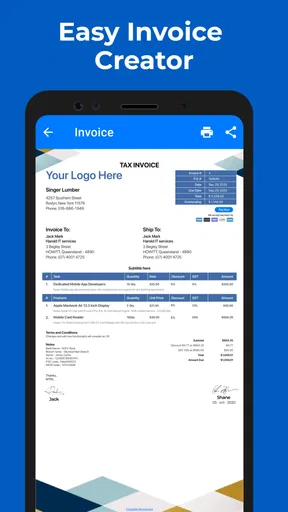
The capability I found most useful is the ability to begin with an estimate and use that document as the starting point for a proper invoice. That sounds simple, but it changes the way I handle small jobs. Instead of writing a price in a chat, remembering what I promised, and later reconstructing the amount, I can frame the expected work first and keep the final charge connected to that original agreement.
For a freelancer, this is valuable because estimates are often where misunderstandings begin. A customer may agree to a service, but the scope, quantity, or total can become unclear after a few days. Preparing an estimate gives both sides a written reference. When the work is finished, converting that thinking into an invoice is more orderly than starting from a blank page again.
I would not describe the app as a replacement for a complete bookkeeping platform. Its strength is the front end of the transaction: recording what I intend to charge and presenting it in a usable invoice format. That makes it particularly relevant to people who are paid per project, per visit, per repair, or per delivery rather than to companies managing complex accounts across several departments.
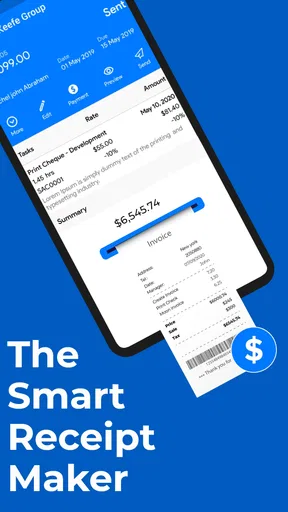
The store presents it as an invoice and receipt maker with a simple invoice generator and invoicing workflow. In practical terms, I see that simplicity as the central design choice. The app is aimed at getting a document prepared while I am away from a desk, not at teaching me accounting or surrounding every invoice with layers of business administration.
Building a document without turning it into a project
My preferred way to use an app like this is to prepare the basic business details before I am standing in front of a customer. I would enter my own information, keep the wording of common services consistent, and then adjust the customer and job-specific parts when needed. That small amount of preparation makes the mobile workflow much faster and reduces the chance of typing different descriptions for the same service.
Worth Reading Before You Choose

EA SPORTS FC Mobile 26 Is a Bigger Football Game, but It Takes Time

Flipboard Shows What News Apps Must Do Beyond the Feed

Switching to Android Auto Means Rethinking Your Driving Routine

Google Calendar Makes a Crowded Week Easier to Manage

Ludo King Makes the Most of the Minutes Between Plans

Baby Panda World Brings Quick Play to Modern Phones, but Its Game Library Feels Busy
The estimate-first approach also encourages better conversations. If I am repairing a device, cleaning a property, designing a small asset, or completing a short installation, I can separate the expected work from unexpected additions. That distinction matters. An estimate can represent the agreed plan, while the final invoice can reflect what was actually delivered. Even when the job is uncomplicated, that separation gives me a clearer record.
One practical tip is to treat the description field as a record of scope rather than a vague label. “Service” is not very helpful later. A more precise description of the task, quantity, or agreed work makes the document more useful if a customer asks why the total changed. This is not a flashy feature, but it is where a mobile invoice maker can either improve communication or simply produce another confusing document.
I also recommend checking the total before sending anything. Mobile entry is convenient, but small screens make it easier to overlook a quantity, an extra line, or an accidental digit. The app reduces the work of creating a document; it does not remove the need to review one. My habit would be to read the customer details, line descriptions, amounts, and final total once as if I were the recipient.
A realistic day with the app
Imagine a self-employed technician who receives a request in the morning. The customer wants a visit and may need a replacement part, but the final part cost is not yet known. The technician can prepare an estimate for the visit and expected work instead of sending a rough number in a text message. Once the job is complete, the final invoice can reflect the actual service and any agreed adjustment.
That workflow is more useful than simply having a receipt generator because it preserves the difference between expectation and completion. It also gives the customer something more concrete to approve. If the job changes, the technician has a clearer basis for explaining the revised amount rather than appearing to change prices without warning.
For a small creative service, the same idea works differently. I might estimate a fixed package, describe what it includes, and then invoice after delivery. The important benefit is not speed alone; it is continuity. I am less likely to forget what the original package covered, especially when several small jobs are active at once.
A useful habit here is to create the estimate before work begins, even when the customer seems trustworthy. The document is not only protection for a difficult dispute. It also helps me notice whether the price makes sense, whether I have omitted a task, and whether the customer and I are discussing the same deliverable.
Receipts and the last step after payment
Once an invoice has been settled, a receipt can serve a different purpose. An invoice says what is owed; a receipt helps show that payment was made. Keeping those roles separate makes the customer-facing process clearer. I would use the invoice during approval and payment discussions, then provide the receipt once the transaction is complete.
This is especially helpful for small operators who do not have a separate office administrator. A customer may need a document for personal records, reimbursement, or internal filing. Producing the appropriate document from the same mobile workflow is more professional than relying on a screenshot of a payment message.
There is also a personal benefit: consistent records make it easier to review my own work later. If I prepare documents immediately after a job, I do not have to depend on memory at the end of the week. The app is therefore most effective when I use it as part of the job routine rather than as an emergency tool after several transactions have already piled up.
Where it feels easier than the usual alternatives
The usual alternative for a very small business is a word processor or spreadsheet. Those tools are flexible, but flexibility can become a burden. I have to maintain the layout, remember which fields belong on an invoice, keep totals correct, and make sure estimates and final bills look consistent. A dedicated invoice app narrows the task to the information that matters.
Emailing a manually written bill can also be quick, but it leaves the document structure up to me. That approach works for occasional informal payments, yet it becomes awkward when I need estimates, invoices, and receipts to follow a repeatable pattern. The mobile app makes more sense when I want a recognizable workflow without committing to a larger accounting service.
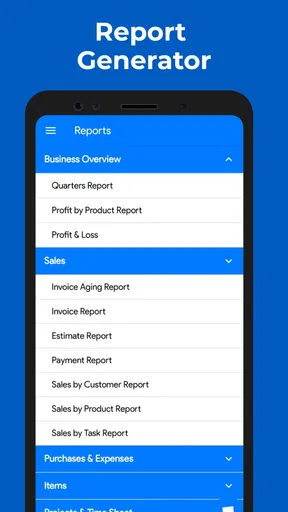
Compared with full bookkeeping software, the trade-off goes in the opposite direction. A larger system is generally a better choice for someone who needs deep financial reporting, extensive business administration, or a broader accounting process. Estimate Invoice Maker is more attractive when the immediate problem is producing clear transaction documents from a phone.
That distinction is important before installing it. I would choose this app for document creation and a lightweight invoicing routine. I would look elsewhere if my main goal were comprehensive financial control. A simple tool is useful precisely because it does not force every small job through the complexity of a full business platform.
The friction I would plan around
The first limitation is the same feature that makes the app approachable: simplicity. People with unusual billing rules, many tax conditions, recurring contracts, multiple currencies, or complicated approval chains may quickly want more control than a lightweight invoice maker is designed to provide. I would not select it for a business whose invoicing process already resembles an accounting department.
The second issue is the optional purchase model. The app itself is free, but the range of possible in-app purchase amounts means I would pay attention to what is included before relying on a paid function for daily work. I would also avoid assuming that every useful workflow is available without an extra charge. That is a normal consideration for free business apps, but it matters more when invoices are part of a professional routine.
Another point is mobile accuracy. Entering a document on a phone is convenient at a customer location, but it is not automatically faster for a long invoice with many lines. For a large catalogue or a complicated order, a computer-based system may be more comfortable. I see the mobile format as strongest for short and medium transactions where speed and availability matter more than bulk entry.
I would also keep my own backup discipline. An invoice app can make a document, but responsible record-keeping still involves storing important business information where I can retrieve it. Before using any mobile-created document as the sole record of a transaction, I would make sure I understand how I can access it later and maintain copies that matter to my business.
Small workflow improvements that make a difference
My first recommendation is to separate estimates from confirmed charges in my own naming and review habits. I would never send an estimate with wording that makes it look like a final demand for payment. Clear labels and descriptions reduce confusion, especially when a customer forwards the document to someone else.
My second recommendation is to standardize service descriptions. If I use one wording for a particular job today and a completely different wording next month, my records become harder to compare. Consistent descriptions also make it easier for a customer to understand what is included without asking for clarification.
Third, I would prepare documents close to the event they describe. Creating an estimate before starting and an invoice soon after finishing gives the app a useful role in the workflow. Waiting until the end of the month turns a simple mobile tool into a memory test, and no invoice generator can fully correct missing details.
Finally, I would use the app as a communication aid rather than hiding behind it. A polished document cannot fix an unclear agreement. I would discuss scope, additional work, and payment expectations directly, then use the estimate or invoice to record that understanding. That is where the app provides the most practical value.
Who will get the most from it
I think the best audience is a solo worker who needs professional-looking transaction documents without learning a large accounting platform first. A mobile repairer, cleaner, tutor, consultant, tradesperson, photographer, or small creative provider could benefit from having estimates and invoices available during the workday.
It is also a good fit for someone who currently relies on messages or improvised documents and wants a more repeatable process. The improvement is not merely cosmetic. A consistent estimate can prevent scope confusion, and a consistent invoice can make payment requests feel more organized.
Small teams may find it useful when one person handles customer-facing billing, although I would be more cautious as the number of users, customers, and transactions grows. The more people who need shared visibility and the more detailed the reporting requirements become, the stronger the case for a broader business system.
I would skip it if I already depend on advanced accounting tools and only need another way to duplicate existing records. I would also skip it for highly complex billing or for a business that cannot afford to check purchase requirements and record-keeping arrangements before adopting a free app with optional paid items.
My closing assessment
Estimate Invoice Maker By Moon succeeds when I judge it by its central purpose: helping a small operator move from an agreed estimate to a usable invoice and, when appropriate, a receipt. That focused workflow is more valuable than a long feature list because it addresses a real everyday problem—keeping the promised work and the final charge connected.
The app is free, runs on Android version 8.0 or later, and its current version is 8.16.2. It was released on August 13, 2015, and continued development has kept it relevant to people looking for a mobile invoicing option. I would still check the purchase structure and make sure the workflow matches my record-keeping needs before making it central to a business.
My recommendation is straightforward: try it if your billing needs are short, mobile, and estimate-driven. Use careful descriptions, review every total, and keep your own sensible records. If you need a full accounting environment, choose a more comprehensive alternative. For the independent worker who wants to prepare a clear document at the moment a job is agreed or completed, this focused estimate-to-invoice workflow is the app’s strongest reason to stay installed.
Pros
- Creates professional estimates and invoices quickly on mobile.
- Simple interface makes it suitable for small businesses and freelancers.
- Helps organize billing information in one convenient place.
- Useful for preparing documents while working away from the office.
- Can make business paperwork look more consistent and polished.
Cons
- Advanced accounting and inventory tools may be limited.
- Some features may require a paid upgrade or subscription.
- Manual data entry can become time-consuming for frequent invoices.
- Customization options may not satisfy users needing branded templates.
- Cloud backup and cross-device syncing may not be available in all plans.
FAQs for Estimate Invoice Maker By Moon
What is Estimate Invoice Maker by Moon used for?
Estimate Invoice Maker by Moon is designed to help freelancers, contractors, small businesses, and independent professionals prepare estimates and invoices from a mobile device. During testing, the app was most useful for creating customer records, adding products or services, calculating totals, and producing professional-looking documents without relying on a desktop accounting program.
Can I create both estimates and invoices with the app?
Yes. The app is intended to support both estimates and invoices, allowing you to prepare a price proposal before work begins and issue a billing document afterward. This makes it practical for service providers who need to move from an approved quote to a final invoice. Available options may vary depending on the app version, device, and selected subscription or purchase plan.
Can I customize invoices with my business information and logo?
Estimate Invoice Maker by Moon generally allows users to add important business details such as a company name, address, contact information, tax details, and customer data. Depending on the version you install, you may also be able to include branding elements such as a logo and adjust document presentation. It is worth checking the template and customization options before relying on it for all branding needs.
How can I send or share an estimate or invoice?
After preparing a document, users can typically generate it in a shareable format and send it through common options available on their phone, such as email, messaging apps, or cloud storage. This is convenient when a customer needs an estimate or invoice immediately. Before sending, carefully review names, prices, taxes, payment terms, and totals because the app does not replace your own final verification.
Is Estimate Invoice Maker by Moon suitable for professional business accounting?
The app can be a convenient invoicing tool for individuals and small businesses, especially when the priority is creating documents quickly while working away from the office. However, it should not automatically be considered a complete accounting system. Features such as advanced bookkeeping, inventory management, bank reconciliation, tax reporting, team permissions, and integrations may be limited, so confirm that it matches your business requirements before downloading.


